HOW IT WORKS / REFERENCE VIDEO + YOUR PHOTOS
How to make a gas station dance video from your photos
Leer esta guía en español · Инструкция на русском · Understand the three-shot trend
Make your version in three steps
- Choose your cast. Add one photo for the dance, one for the walking selfie and one for the car exit. Use photos of consenting adults with a clear face and even lighting.
- Review and pay once, when orders are open. The listed single-video price is $9.90; enter your email and continue to Stripe. One-time payment, no subscription. Photos upload when you continue to checkout; generation starts after payment.
- Download your video. Your private order page shows progress and the finished MP4. For new background-delivery orders, you can close the page after payment: assembly and review run automatically, then a private pickup link is sent by email. Download within 72 hours of completion; another email does not extend expiry. The roughly 15-second video is vertical, 720p, with music. Use Find my order if you close the page. Processing time varies; there is no instant-delivery guarantee.
Can I make it with one photo?
Yes. Upload a clear full-body photo in the dancer slot, then choose “Use my dancer photo for all three.” The same photo fills the selfie and arrival roles. You can replace any of the three before checkout. For more control, use a waist-up photo for the selfie and full-body photos with shoes visible for the other shots.
Why use a reference video instead of only a prompt?
The gas station dance is a specific 15-second sequence: a dance at a sunset forecourt, one handheld walking selfie, one car-door exit. A text prompt alone does not specify all of those movements. A reference video guides the sequence and camera.
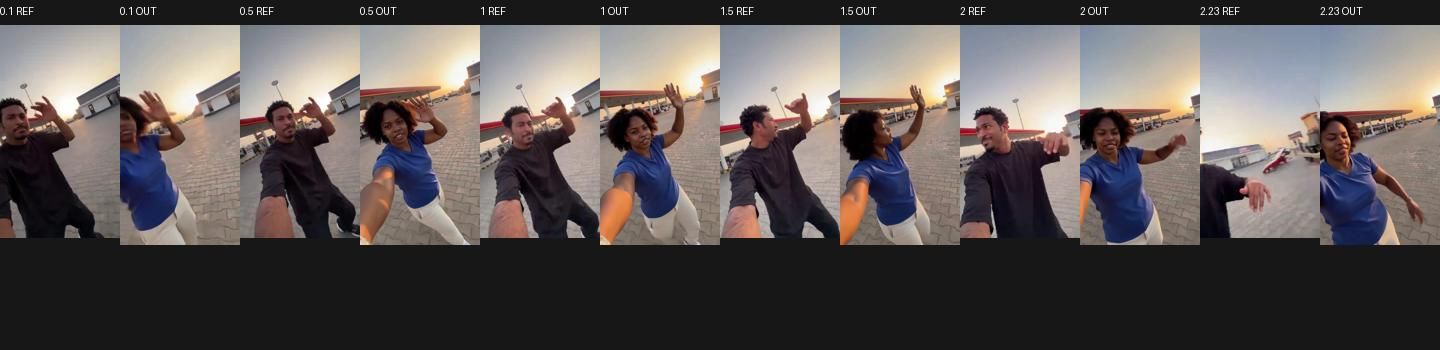
Every video is built by reference-video character replacement: the original three-shot footage guides the motion, and your photos guide who appears. The reference guides the choreography and framing; AI-generated movement, likeness and clothing details can vary.
Shot 1 — The dance
You supply: One full-body photo, face visible

Shot 2 — The walking selfie
You supply: One clear waist-up photo, with the face visible
Shot 3 — The car exit
You supply: One full-body photo of the third person

Check these details before buying
- Watch the real silent sample and compare the frames above. It demonstrates the format; it is not a guarantee of your exact result.
- Avoid group photos, covered faces and a face that is tiny in the image. Keep the desired outfit visible.
- A job stopped before generation starts releases its credit. Failed or blocked delivery after generation starts needs support review for a refund or replacement. For help, contact support.
- Music is included in the download. Commercial music rights are not included; check your publishing platform’s rules.
What comes from where
The reference video guides
- Choreography — the dance and movement sequence
- Camera work — including the handheld selfie style
- Timing — the cut points between the three shots
- Scene — the sunset forecourt, the car, the light
Your photo guides
- Identity — the face of the person in that shot
- Appearance — outfit, hair, build
- Likeness and fine details can change during generation.
The models, named
The dance and walking-selfie shots use prunaai/p-video-replace on Replicate. The car-exit shot uses Kling O1 on Replicate. Both take a source video and a reference photo, using the source motion and scene as guidance. Each shot uses its own reference photo. The outputs are normalized to 720×1280 at 30fps, stitched together and muxed with the original trend soundtrack into one MP4.
The home-page sample is an earlier all-Pruna three-shot result, shown as a silent preview; it does not demonstrate the O1 car-exit shot. The paid download includes music.
Honest limits
- One fixed source template guides all three shots. Generated poses, timing and scene details can differ from it.
- 720×1280 output, like the original footage.
- Results vary with your photos: faces too small, heavy sunglasses, strong side profiles and group shots hurt identity transfer.